Black Friday 2026
4-Bay DAS Black Friday Deals UK 2026
Prices checked
Amazon UK’s 2026 Black Friday sale runs from 19 to 30 November. Black Friday is 27 November. Prices below come from the latest available listing checks.
As an Amazon Associate we earn from qualifying purchases. Prices and availability come from Amazon.co.uk as of the last update and may change.
A 4-bay DAS is best suited to one computer that needs local, high-capacity storage with less network complexity than a NAS. The main buying questions are not just how many bays it has, but how it connects, which RAID modes it supports, and what happens if a drive or the enclosure itself needs recovery later. If you are comparing models on this page, focus first on the interface speed that matches your host, then on the RAID options you can actually use, and finally on whether the enclosure makes rebuilds and drive replacement straightforward. For some buyers, a 5-bay DAS or a networked NAS is the better fit, but for direct attachment to a single workstation or editing PC, a 4-bay unit can be the simpler and cheaper route.
Matching Amazon UK listings


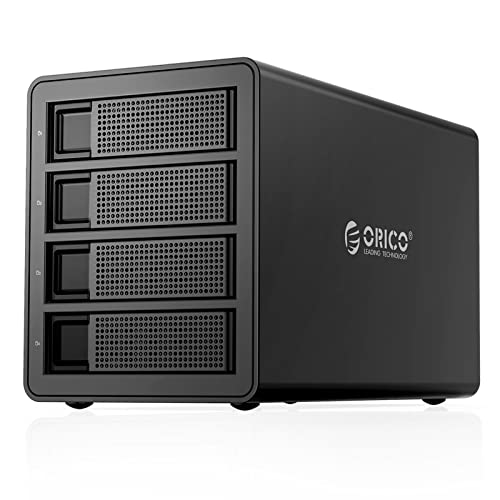
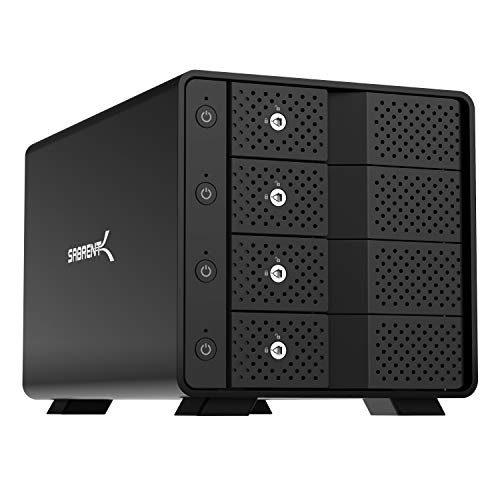


The listing’s condition and last check are shown on each row. Prices and availability may change at checkout.
Is it really a deal?
No recently checked listing has reached our recorded low. We compare the same Amazon listing and condition against earlier prices we recorded. Near our low means within 3% of that low. An Amazon reference price shows the retailer’s comparison figure. Check the retailer for any current promotion or access requirements.
Start with the connection type and port speed
A DAS is only as useful as the link to your computer. Check whether the enclosure connects over USB-C, USB 3.x, Thunderbolt or another interface, and confirm the exact speed quoted by the manufacturer. A fast enclosure does not help if your host only has a slower port, or if the cable and adapter path reduce the connection to a lower standard.
For practical buying, match the enclosure to the machine you will actually use. A desktop with a suitable USB-C port may do fine with a standard USB DAS, while a video workstation that regularly moves large files may justify a faster interface if the enclosure and host both support it. If the listing is vague, open the manufacturer specification sheet and look for the interface version, not just the connector shape. A USB-C socket can still be tied to very different data rates.
Also check whether the unit needs external power, because most 4-bay DAS enclosures do. That affects desk space and portability. If you want to move the enclosure between two computers, confirm whether the operating system support is straightforward and whether any bundled management software is required for RAID control.
Choose RAID features for the way you recover data
The useful RAID modes on a 4-bay DAS usually include non-RAID, RAID 0, RAID 1, RAID 5 and sometimes RAID 10, but you should never assume every model offers all of them. Verify the supported modes in the product manual, because the front-panel switch or software settings may be limited by the controller inside the enclosure.
Your decision should be based on recovery priorities, not just raw usable capacity. RAID 0 gives maximum combined space but no redundancy, so it is suitable only if you already have another backup and can tolerate rebuilding from scratch. RAID 1 or RAID 5 trades some capacity for resilience, which may suit photo libraries, project files or business data that you do not want to lose after one drive failure. RAID 10 can make sense where performance and redundancy both matter, but on a 4-bay enclosure it uses half the installed capacity for protection.
If you are comparing models, look for how RAID is configured and changed. Hardware RAID with clear status lights and physical controls can be convenient, but it may also tie you more closely to that enclosure if the unit fails. Software-managed or hybrid systems may give more visibility, but they can add steps if you move the drives to another machine. In all cases, keep a separate backup, because RAID is not a substitute for one.
Check recovery options before you buy
Recovery options matter because a 4-bay DAS is often used for important single-host storage. Ask how the enclosure behaves after a power cut, a disk error or a chassis replacement. Some units preserve the array metadata in a way that makes the disks easier to read in a similar enclosure; others are more proprietary. The manual should say whether you can rebuild after replacing a failed disk, whether the array can be migrated, and whether a different host computer will recognise the unit without reinitialising it.
This is especially important if you expect to upgrade the enclosure later. For example, if you buy a 4-bay DAS today and later move to a larger 5-bay DAS, you may want a model that makes drive migration as straightforward as possible. If the manufacturer documents RAID migration, hot swap support or array import procedures, that is a useful sign. If those terms are absent, assume recovery may be more manual and less flexible.
A practical check is to read the admin guide before purchase and look for terms such as rebuild, migrate, initialise, spare, and metadata. If the listing only mentions capacity and speed, treat recovery as an unknown until you confirm it in the documentation.
Decide whether a 4-bay DAS is enough, or whether an alternative fits better
A 4-bay unit is a good middle ground when you need room for several large drives but do not want the footprint or cost of a bigger enclosure. It is often the sensible choice for one-user workstations, home media archives and creative projects where all storage sits next to the computer. However, if you know you will quickly fill four bays, a 5-bay DAS may be better value because it can delay the next replacement cycle and sometimes gives you more RAID combinations.
The QNAP TR-004 is worth considering if you want a mainstream 4-bay DAS approach with clearer emphasis on RAID management and multi-mode flexibility. That does not make it automatically right for everyone, but it may suit buyers who want more structured control rather than a very basic enclosure. TerraMaster D4-320 may suit buyers who prioritise a compact 4-bay format and want to compare the exact interface and control method against other direct-attached options. In both cases, use the official specification page to confirm supported RAID levels, host interface and whether the enclosure is intended for one computer rather than network sharing.
If your goal is shared access from several devices, a NAS is usually the better category. If your goal is to expand the storage of a single PC or Mac with the least complexity, stay with DAS.
How to verify the important details on the listing and manufacturer page
Before you decide, cross-check three things: the exact interface speed, the RAID modes, and the recovery or migration notes. The product listing should state the headline connection type, but the manufacturer page is the safer place to confirm the full spec. Look for the supported operating systems, power requirements, drive size support, and whether the enclosure accepts SATA drives, SSDs, or both, if that matters to you.
Pay attention to wording. 'Supports USB-C' is not the same as 'supports 10Gbps USB'. 'RAID capable' is not the same as 'supports RAID 5 and RAID 10'. If the listing does not spell this out, assume you need to verify it manually. That is especially important for buyers planning to move large media libraries, because a small mismatch in interface or RAID handling can change how convenient the enclosure is in day-to-day use.
Finally, compare the enclosure cost with the total drive budget. A 4-bay DAS can look attractive on its own, but the drives often determine the real spend. Choose the RAID mode and capacity layout first, then buy the enclosure that supports that plan.
Frequently asked questions
Is a 4-bay DAS better than a NAS for one computer?
Usually yes, if you only need storage for one host and want a simpler direct connection. A NAS is better when multiple devices need access over the network.
Should I choose RAID 0, 1, 5 or 10?
Choose based on the balance you want between capacity and recovery. RAID 0 maximises space but has no redundancy. RAID 1 and 5 add protection, while RAID 10 offers a different mix of speed and resilience if the enclosure supports it.
What should I check if I plan to upgrade later?
Look for RAID migration, rebuild instructions and how the enclosure handles metadata. Those details help you judge whether the disks can be moved to another enclosure without starting again.
When is a 5-bay DAS the better choice?
If you expect to outgrow four drives quickly, a 5-bay model can be better value and may give you more flexibility for future RAID layouts.