Black Friday 2026
2TB SSD Black Friday Deals UK 2026
Prices checked
Amazon UK’s 2026 Black Friday sale runs from 19 to 30 November. Black Friday is 27 November. Prices below come from the latest available listing checks.
As an Amazon Associate we earn from qualifying purchases. Prices and availability come from Amazon.co.uk as of the last update and may change.
A 2TB SSD sits in the middle of the market where capacity, speed and price usually feel balanced. It is large enough for a system drive with games or creative apps, or for a portable working drive, but still compact enough to suit most consumer budgets. The right choice depends less on the number on the box and more on how you plan to use it. For a desktop or laptop upgrade, focus on interface, endurance, controller and thermal behaviour. For a portable drive, focus on enclosure compatibility and sustained transfer speed rather than headline burst figures. If you are comparing live listings, check the exact model code carefully, because similar names can hide very different specifications.
Matching Amazon UK listings


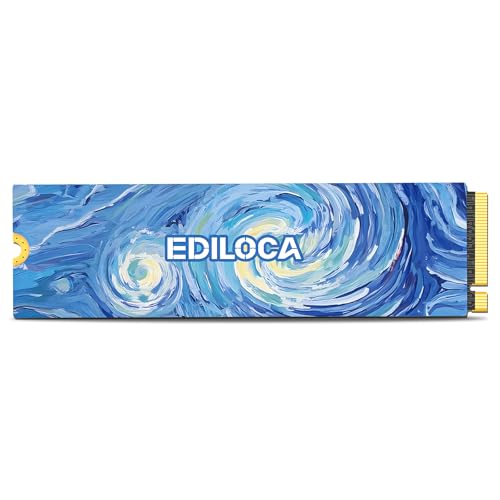


The listing’s condition and last check are shown on each row. Prices and availability may change at checkout.
Is it really a deal?
8 listings are at or near our recorded low. We compare the same Amazon listing and condition against earlier prices we recorded. Near our low means within 3% of that low. An Amazon reference price shows the retailer’s comparison figure. Check the retailer for any current promotion or access requirements.
Start with the job you want the drive to do
For a system drive, 2TB is often the practical sweet spot if you want room for the operating system, applications and a sizeable library of games or project files. In that role, NVMe M.2 drives are usually the first place to look, provided your motherboard or laptop supports the interface and size. Check whether the device accepts PCIe Gen 3, Gen 4 or Gen 5, and whether the slot is M.2 2280 or another length. A fast drive is only useful if your system can actually run it at the intended speed.
For project storage, the workload matters as much as the capacity. Video editing, large photo libraries and sample-heavy audio work can involve long, continuous writes, so a drive with stronger sustained performance and good thermal control is preferable. If the manufacturer publishes endurance or sustained write guidance, use that rather than relying on peak read figures alone. If you are unsure, cross-check the spec sheet for cache type, controller family and whether the drive uses TLC or QLC NAND, because those details often influence behaviour when the drive is nearly full.
For portable use, 2TB external SSDs can be easier to carry than an internal upgrade, especially if you move files between laptop and desktop. Here the interface on both the drive and the host matters. A USB 10Gbps enclosure may be fine for general backups, but it will not let a fast NVMe drive show its full potential. If you need a simple, bus-powered travel drive for documents, media and occasional edits, a portable SSD may be the better fit than fitting a bare internal module into a machine you do not want to open.
Choose the interface before you compare speed claims
Interface is the main filter because it sets the ceiling for real-world performance. SATA SSDs are still useful for older systems and 2.5-inch bays, especially if you are replacing a hard drive and want a straightforward upgrade. They are simpler to install in some desktops and laptops, but they are not the right choice if you need the lower latency and higher throughput of NVMe.
NVMe M.2 drives connect over PCIe and are the normal choice for modern system builds. Gen 4 drives are common and usually a sensible match for current desktops and many newer laptops. Gen 5 models can be attractive for specific workloads, but they also generate more heat and can be harder to keep running at top speed without a heatsink or strong airflow. Before buying, verify whether your motherboard has a heatsink cover, whether your laptop supports single-sided modules, and whether the slot shares lanes with other ports. A faster drive that runs hot or drops speed under load can be a worse fit than a modestly faster, better-cooled one.
If you are looking at alternatives such as Corsair MP700 Pro, Kingston KC3000, Lexar NM1090 Pro or Lexar NM790, compare the interface generation, NAND type and any cooling needs rather than assuming all 2TB models behave alike. A Gen 5 model may suit a workstation build, while a well-priced Gen 4 drive may be the more balanced option for everyday use. For users who only need a reliable boot drive and light storage, a 1TB SSD can still be the better value if 2TB would go unused.
Pay attention to sustained writes, not only peak read speeds
Many SSD listings lead with top read figures, but that is only part of the picture. If your work involves copying large video files, recording footage, handling VM images or writing caches for creative software, sustained write speed is more important. Drives with a generous dynamic cache can feel very fast at first and then slow once the cache is exhausted. That is not necessarily a problem for light use, but it matters for long transfers.
To judge this properly, look for manufacturer details on endurance, cache architecture and whether the drive uses DRAM or a host memory buffer. The presence of DRAM is not automatically better in every case, but it can help with consistency in heavier workloads. Also check TBW or similar endurance ratings where provided, then compare them with your expected use. A home user who mostly reads games and media may not need the same endurance as someone who repeatedly writes large project files every day.
This is also where 3.84TB SSD and 7.68TB SSD alternatives become relevant. Those larger capacities are usually more appropriate for heavier media libraries, virtual machines or business storage, while 2TB remains the more balanced choice for most consumers. If your project data is growing quickly and you dislike juggling drives, stepping up to a higher-capacity model may be better than filling a 2TB drive to the point where performance and free space become tighter.
Think about portable versus internal use and the extra cost around the drive
A 2TB SSD is not just the drive itself. If you need an internal NVMe module, you may also need a heatsink, a mounting screw or a motherboard slot that supports the chosen speed grade. If you plan to use the drive externally, the enclosure matters: the bridge chip, USB or Thunderbolt version, thermal design and support for UASP can all affect results. In other words, the cheapest bare drive is not always the cheapest working setup.
For portable workflows, an external SSD can be the best option when you want cross-device compatibility and easy transport. It is often simpler than moving a bare NVMe module between machines, and it avoids compatibility issues with internal slots. The tradeoff is that the enclosure and cable become part of the system, and performance depends on the slowest link in the chain. If the device is mainly for backups or transferring photos, that may be perfectly acceptable. If you need to edit directly from the drive, confirm that the enclosure and host port are up to the task.
When comparing listings, verify the exact capacity, interface and form factor on the manufacturer page and the retailer listing. Similar product names can cover both SATA and NVMe versions, or different controller revisions. If the model is described as a specialist drive such as Micron Enterprise SSD, check whether it is aimed at data centre or workstation use, because that can change power characteristics, endurance and compatibility expectations. For most home users, a consumer NVMe 2TB drive is simpler and more cost-effective unless the workload clearly calls for enterprise features.
Use the listing details to narrow the final choice
Once you have ruled in the right interface and use case, compare the remaining details with care. Confirm the exact model number, physical size, supported protocols, NAND type if stated, and whether any accessories are included. If you are buying for a laptop, confirm single- or double-sided construction where the manufacturer discloses it, because some ultrabooks have space limits. If you are buying for a desktop, check whether a motherboard slot shares bandwidth with another M.2 slot or SATA port.
A practical approach is to choose the drive that matches your workload first, then use price history and your own timing decision to judge value. For a general-purpose system drive, a balanced 2TB Gen 4 NVMe model is often the easiest choice. For a portable drive, prioritise the enclosure or external interface. For a heavier project workload, choose the model with the better sustained-write profile and endurance data, even if the headline speed is not the highest. That way you buy for the job rather than for the spec sheet alone.
Frequently asked questions
Is a 2TB SSD enough for a gaming PC or creative laptop?
For many users, yes. It usually gives enough room for the operating system, apps and a substantial library of games or project files. If you store lots of raw video, VMs or large sample libraries, you may want to move up to 3.84TB or more.
Should I choose SATA or NVMe for 2TB?
Choose NVMe if your device supports it and you want the best balance for a modern system or project drive. Choose SATA only if your device needs a 2.5-inch drive, has no NVMe support, or you are replacing an older HDD in a compatible bay.
What matters most for sustained writes?
Look at endurance ratings, cache behaviour, NAND type and whether the drive has DRAM or another cache approach. Also check thermal design, because some fast drives slow down when they get hot.
When is a related alternative better than 2TB?
1TB can be better if your storage needs are modest and you want to spend less. 3.84TB or 7.68TB is better if you keep large media libraries or write heavy project data regularly. A portable SSD is better if you need easy transport and cross-device use.