Black Friday 2026
14TB Hard Drive Black Friday Deals UK 2026
Prices checked
Amazon UK’s 2026 Black Friday sale runs from 19 to 30 November. Black Friday is 27 November. Prices below come from the latest available listing checks.
As an Amazon Associate we earn from qualifying purchases. Prices and availability come from Amazon.co.uk as of the last update and may change.
A 14TB hard drive can be a sensible middle ground if you want to delay replacing a small NAS enclosure. It gives you more capacity per bay than 10TB or 12TB options, but it is still easier to fit into older two-bay or four-bay systems than jumping straight to larger, newer capacities. The key question is not just how much it holds, but whether your NAS supports the drive type, the larger sector format if used, and the way you plan to protect your data. Check the manufacturer’s compatibility list, the drive’s interface, and the NAS’s own limits before buying, because the best choice depends on whether you need one larger disk, a mirrored pair, or enough room to grow without changing the chassis.
Matching Amazon UK listings


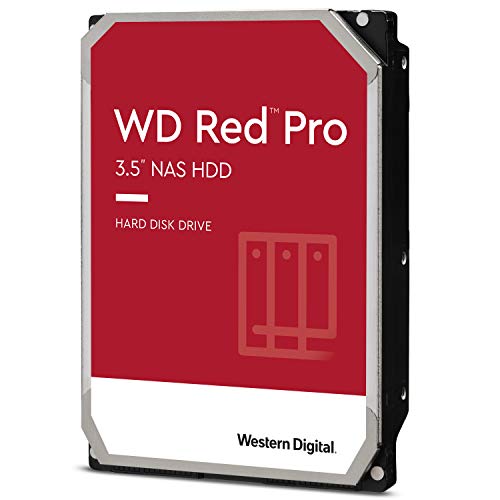


The listing’s condition and last check are shown on each row. Prices and availability may change at checkout.
Is it really a deal?
3 listings are at or near our recorded low. We compare the same Amazon listing and condition against earlier prices we recorded. Near our low means within 3% of that low. An Amazon reference price shows the retailer’s comparison figure. Check the retailer for any current promotion or access requirements.
Why 14TB can suit a small enclosure
If your NAS is running out of space, 14TB is often big enough to make a real difference without forcing a full rebuild. In a two-bay unit, a single larger drive can replace a smaller one and buy time before you need a new enclosure. In a four-bay system, 14TB drives can lift usable capacity while keeping the same physical footprint, which is useful if the chassis still works well but the disks no longer match your storage needs.
The trade-off is that larger drives make each bay more valuable. If you have only one or two bays, losing a disk has a bigger effect on capacity planning, especially if you use RAID 1 or another mirrored setup. A 14TB drive is therefore most useful when you are trying to extend the life of a compact NAS, not when you want the cheapest way to add a little more storage.
Check compatibility before you commit
Do not assume every 14TB hard drive will be accepted by every NAS. First, confirm the drive uses the right interface, usually SATA for home and small-office NAS units. Then check the manufacturer’s compatibility list for your enclosure model, because some NAS devices have firmware, bay, or capacity limits that are not obvious from the drive label alone. If the NAS vendor lists only certain drives as tested, that is worth taking seriously, especially for older hardware.
Also check whether the drive uses Advanced Format and whether your NAS handles it correctly. Most modern systems do, but it is still sensible to verify. If you are migrating from much smaller disks, make sure the NAS can initialise or expand volumes at the capacity you want. For a practical example, a two-bay NAS might support a 14TB replacement drive but still need manual steps to expand the volume after cloning or rebuilding. Read the enclosure documentation rather than relying on assumptions.
Decide whether you want one big drive, a mirror, or a bigger jump
A 14TB drive makes different sense depending on your setup. In a single-bay enclosure, it is mainly about maximum simplicity. You get more room, but no redundancy. In a two-bay NAS, two 14TB drives in a mirror can be attractive if you want continuity rather than maximum capacity, because one disk can fail without immediate data loss. If you want more usable space, a single 14TB drive or a non-mirrored arrangement may suit better, but the risk profile changes.
Compare this with 10TB or 12TB drives if your current requirement is modest. Those lower capacities can be enough if you only need to postpone a purchase briefly. On the other hand, if your storage needs are clearly growing, 16TB or 18TB may be better value in the long run because they reduce the chance that you will outgrow the enclosure again too soon. The right answer depends on whether you are extending life by months, or trying to avoid another chassis upgrade for several years.
NAS versus DAS, and when a different alternative fits better
A 14TB hard drive is often bought for a NAS, but the same capacity can also make sense in DAS, where a direct-attached enclosure or USB drive is enough. Choose NAS if you need network access, multiple users, or scheduled backups from several devices. Choose DAS if you mainly want one machine to have local bulk storage and you do not need file sharing or always-on access. NAS gives more flexibility, but it also involves more setup and more hardware decisions.
If your only goal is to archive files from one PC or laptop, a 4TB or 10TB drive in a simpler external enclosure may be more practical and cheaper to run. If you want maximum headroom in a small NAS, 22TB or 24TB may be worth considering, but only if your enclosure and budget justify it. For older systems, a 2.5-inch SAS hard drive is a niche alternative and usually not the right choice unless your hardware specifically requires SAS rather than SATA. In most home NAS cases, SATA remains the sensible default.
What to verify on the product page and in the manual
Before buying, check the capacity, interface, form factor, and whether the listing is for an internal NAS drive rather than a desktop or portable model. The manufacturer’s spec sheet should confirm the drive family, supported interface, and intended use case. The retailer listing should match that information and should not leave you guessing about whether the drive is designed for multi-bay NAS use.
It also helps to verify your enclosure’s supported drive sizes, any maximum volume limits, and whether a firmware update is recommended before fitting a larger disk. If you are replacing an existing drive, compare the new drive’s physical dimensions and connector type with the current one. If the NAS supports hot-swap, read the correct procedure before removing anything. Small compatibility checks can prevent a lot of frustration later, especially when you are upgrading a compact system rather than buying a new one.
Frequently asked questions
Is 14TB enough to avoid buying a new NAS?
Often yes, if your current enclosure still meets your needs in every other respect. A 14TB drive can extend the life of a small NAS by increasing usable capacity per bay, but whether that is enough depends on how quickly your storage use is growing and whether you need redundancy.
Should I choose 14TB or move straight to 16TB and above?
Choose 14TB if you want a noticeable step up without overcommitting to a larger or pricier capacity. Choose 16TB, 18TB, or higher if you already know your data will keep growing and you want to reduce the chance of another upgrade soon.
Does a 14TB drive work better in RAID or as a single disk?
It depends on your priority. In RAID 1 or another mirrored setup, 14TB gives you more protected space. As a single disk, it gives you the most straightforward capacity gain, but with no built-in redundancy. Check what your NAS supports and what matters more to you: uptime or space.
How do I know if my NAS supports this drive?
Use the NAS manufacturer’s compatibility list and the model’s manual, then confirm the drive interface and capacity on the product page. If the NAS vendor mentions firmware updates or specific limits for larger disks, follow that guidance before purchase.