Black Friday 2026
4-Bay NAS Black Friday Deals UK 2026
Prices checked
Amazon UK’s 2026 Black Friday sale runs from 19 to 30 November. Black Friday is 27 November. Prices below come from the latest available listing checks.
As an Amazon Associate we earn from qualifying purchases. Prices and availability come from Amazon.co.uk as of the last update and may change.
A 4-bay NAS sits in the middle of the home and small office market because it gives you a useful balance of capacity, redundancy and upgrade room. Compared with a 2-bay unit, it is easier to grow without replacing disks straight away. Compared with a 6-bay or 8-bay box, it usually costs less to buy and takes up less space, but you give up some long-term expansion. If you are choosing between three and four disks, the extra bay often changes the economics as much as the capacity, because it can improve the amount of usable storage you get from the same class of drives. The right choice depends on how much usable space you need now, how quickly your library will grow, and whether you want headroom for future drives rather than a full chassis today.
Matching Amazon UK listings


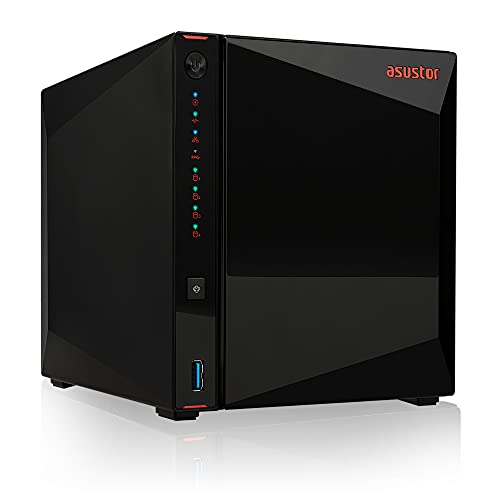


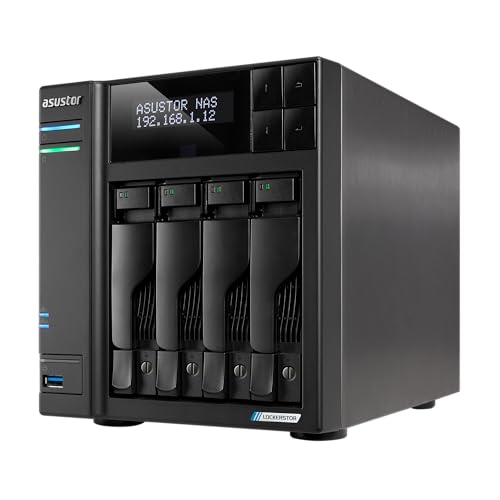


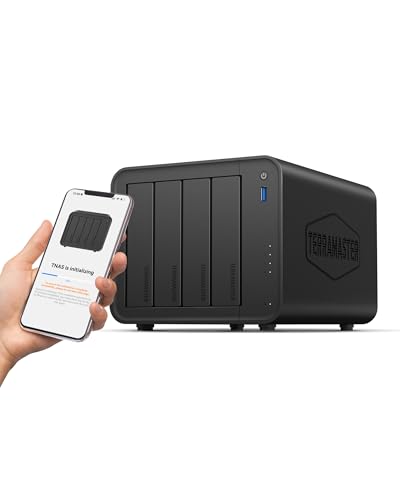
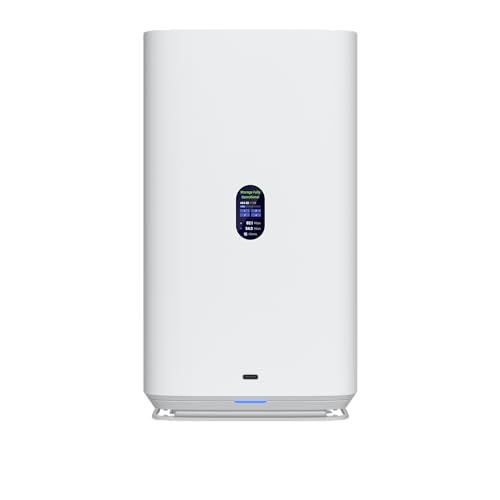


The listing’s condition and last check are shown on each row. Prices and availability may change at checkout.
Is it really a deal?
17 listings are at or near our recorded low. We compare the same Amazon listing and condition against earlier prices we recorded. Near our low means within 3% of that low. An Amazon reference price shows the retailer’s comparison figure. Check the retailer for any current promotion or access requirements.
Why 4 bays often beats 3 for usable capacity
A 3-bay NAS can look efficient on paper, but a 4-bay NAS usually gives you better flexibility when you plan for RAID or other protected layouts. With three drives, your options are narrower. If you mirror for simplicity, you lose a large share of raw capacity. If you use parity-based layouts, you may have less room to expand later. A fourth bay can make the difference between a setup that feels full after one or two upgrades and one that stays comfortable for longer.
For example, if you buy three 8 TB drives in a protected setup, the usable space will depend on the RAID level and the formatting overhead. Adding a fourth 8 TB drive may increase usable capacity much more efficiently than stepping up to much larger individual drives later. The exact result varies by RAID choice, so check the NAS maker’s calculator or documentation before you buy. If the listing does not clearly state supported RAID levels, drive size limits and expansion options, verify them on the manufacturer’s product page rather than assuming they are standard.
How to think about cost per usable TB
A 4-bay NAS can lower the cost per usable terabyte because you can spread the enclosure cost across more drives and make better use of parity. This matters if you are comparing a 3-bay and 4-bay model with the same class of disks. The chassis price is only part of the equation. The total cost should include the NAS itself, the drives, any extra memory or SSDs you know you need, and the power draw over time if you plan to run it continuously.
A useful way to compare options is to estimate usable capacity, then divide the total system cost by that number. Keep the calculation simple: enclosure cost plus drive cost, then divide by expected usable TB after RAID and filesystem overhead. That makes it easier to compare, say, a four-bay enclosure with mid-sized drives versus a smaller NAS with larger drives. If one setup gives you only a little more usable storage for a much higher total cost, the cheaper option may still be the better buy. If the extra bay unlocks a bigger jump in usable capacity, the 4-bay route often wins over time.
Do not rely on the marketed raw capacity alone. A drive sold as 8 TB does not mean 8 TB of usable space once you add redundancy and formatting overhead. The product listing and manufacturer spec sheet should confirm the maximum supported drive size, RAID support and any limits on volume size.
Expansion headroom and when a larger chassis makes sense
The main reason to choose 4 bays is headroom. If you expect your photo library, video archive, backup targets or shared files to keep growing, a spare bay gives you a cleaner upgrade path. You can add a drive later rather than replacing every disk at once. That can be especially useful if you prefer to buy disks one at a time as budgets allow.
A 4-bay NAS is often the sweet spot for people who want protection and some future-proofing without moving to a bigger chassis. If you know you will outgrow four drives quickly, a 6-bay or 8-bay model may be better value because it can delay the next full refresh. If you only need a simple mirrored file store for a few users, a 2-bay NAS may be enough and cheaper to populate. The tradeoff is that smaller boxes can feel cramped once you account for backup copies, snapshots and media growth.
Check whether the model supports RAID expansion, drive migration and mixed-disk upgrades. These features vary by manufacturer. Some units let you start with fewer drives and add more later with limited downtime, while others are more restrictive. Confirm this on the official spec sheet, not just the retailer summary.
Interfaces, performance bottlenecks and what to verify before buying
For a 4-bay NAS, the main hardware questions are less about raw speed claims and more about matching the unit to your network and drive plan. Look at the Ethernet ports, whether link aggregation is supported, and whether your switch can actually make use of it. If you only have a single gigabit network, adding faster disks will not help much for many everyday file tasks. If you have multi-gig networking, verify that the NAS and your router or switch are both compatible.
You should also check the drive interface support and any SSD cache or M.2 slots if those matter to you. Not every 4-bay model has the same mix of bays, cache options or expansion ports. The listing should make clear whether the box is diskless or bundled, what drive types it accepts, and whether it supports the file systems and backup tools you need. If the seller page is vague, the manufacturer’s compatibility list is the safest place to confirm.
Do not buy on the basis of headline CPU or RAM figures alone unless you know what your workload needs. For simple shared storage and backups, you may not need much. For media transcoding, virtual machines or heavier indexing, check the official feature list carefully and make sure the model is designed for those tasks.
When a different NAS size is the smarter choice
Choose a 2-bay NAS if you mainly want straightforward home backups, a small media library or a simple shared folder setup, and you are comfortable with limited expansion. It can be the lower-cost answer when two larger drives are enough. Choose a 6-bay or 8-bay NAS if you are building a larger archive, want more flexible RAID choices, or want to spread growth across many drives instead of buying very large disks.
If you are comparing within the same family, a 4-bay model is often the point where capacity and flexibility feel balanced without becoming excessive. It is also a good match if you want to start with two or three disks and leave room for another drive later. If the model line includes close alternatives, compare the official maximum drive size, supported RAID modes, network speed, expansion ports and list of supported apps rather than assuming the naming tells the full story. A smaller model can still be better value if your present needs are modest, while a larger one becomes more attractive once you value future expansion above upfront cost.
Frequently asked questions
Is a 4-bay NAS better value than a 3-bay NAS?
Often yes, if you care about usable capacity and future growth. The extra bay can improve RAID flexibility and reduce the risk of running out of room too soon.
Should I choose RAID 5 or RAID 6 on a 4-bay NAS?
It depends on your tolerance for risk and how much usable space you want. Check the manufacturer’s guidance and remember that RAID is not a backup.
How do I check whether a NAS will work with my drives?
Use the official compatibility list, verify maximum drive size, supported drive types and any firmware requirements on the manufacturer site and the product listing.
When would I buy a 6-bay or 8-bay instead?
If you know your storage needs will keep rising, a larger chassis can offer better long-term headroom and fewer disruptive upgrades later.