Black Friday 2026
24TB Hard Drive Black Friday Deals UK 2026
Prices checked
Amazon UK’s 2026 Black Friday sale runs from 19 to 30 November. Black Friday is 27 November. Prices below come from the latest available listing checks.
As an Amazon Associate we earn from qualifying purchases. Prices and availability come from Amazon.co.uk as of the last update and may change.
A 24TB hard drive is usually chosen for one reason: density. It can reduce the number of bays, cables and power supplies you need, but the tradeoff is that the exact model matters more than with smaller drives. Before you buy, check the full part number, the recording technology, the interface and the drive’s intended use in the manufacturer’s specs and on the seller listing. That is especially important if you are fitting it into a NAS, moving it between enclosures, or restoring a large backup, because the time needed to rebuild or copy a very large dataset can be a bigger practical issue than the sticker price.
Matching Amazon UK listings


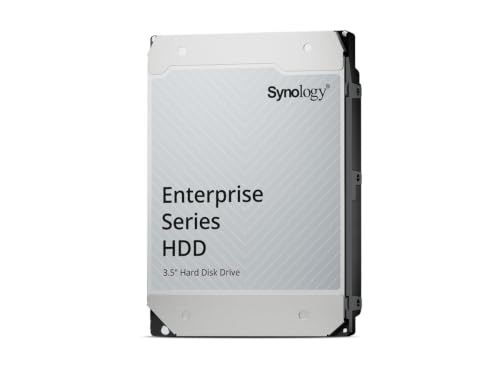
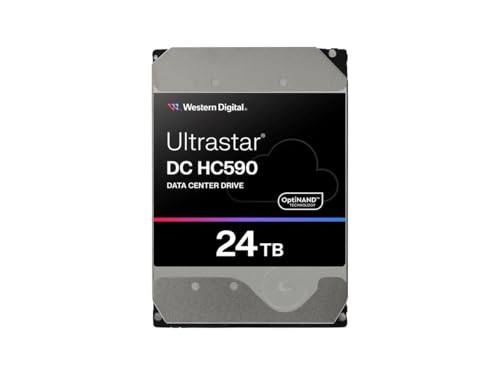
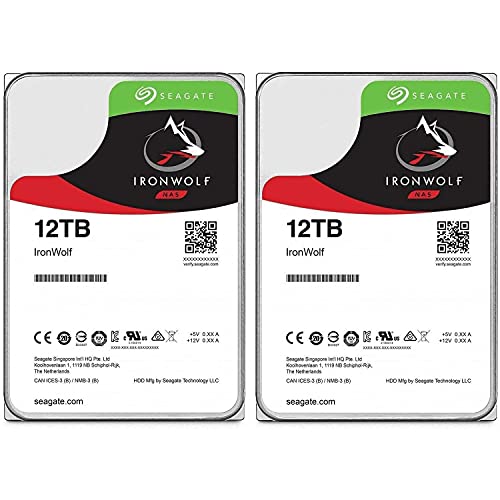
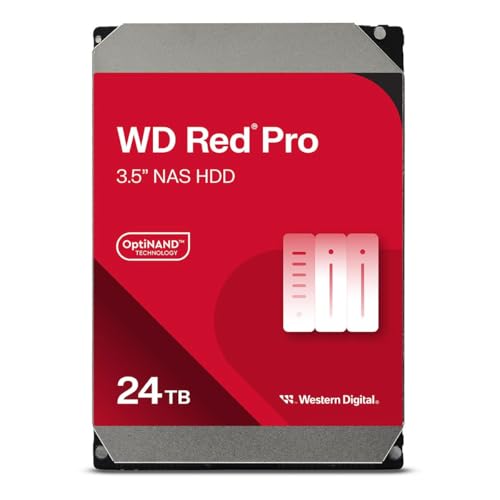


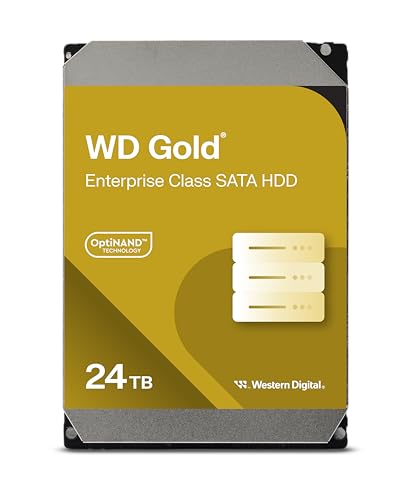


The listing’s condition and last check are shown on each row. Prices and availability may change at checkout.
Is it really a deal?
4 listings are at or near our recorded low. We compare the same Amazon listing and condition against earlier prices we recorded. Near our low means within 3% of that low. An Amazon reference price shows the retailer’s comparison figure. Check the retailer for any current promotion or access requirements.
1) Match the exact drive to your NAS, enclosure or desktop
Start with compatibility. A 24TB drive may be a 3.5-inch SATA model for a NAS or external enclosure, but the exact part number can still vary by firmware, workload rating, cache size, power profile and recording method. Check your device’s approved drive list if it has one, then compare the manufacturer’s product page with the seller listing. Do not assume that two drives with the same capacity behave identically.
If you are buying for a NAS, verify the bay size, SATA support and any limits on maximum drive size per slot. Some NAS units accept large drives but only when the firmware is current. If you are buying for a desktop or USB enclosure, confirm that the enclosure supports 24TB or higher and can supply enough power for spin-up. For enterprise or rack gear, also check whether the controller expects SATA or SAS, because a 2.5-inch SAS hard drive is a different choice entirely and is not a direct substitute for a standard desktop SATA disk.
2) Think about restore and migration time before you choose the capacity
The bigger the drive, the longer it can take to move data onto it or recover it after a failure. A 24TB drive can be sensible if you want to consolidate several smaller disks, but you should plan for long initial copies, long parity rebuilds and long backup restores. In a RAID or mirrored NAS, a replacement drive may need to rebuild a very large amount of data, and that can take many hours or longer depending on the array, the workload and the health of the remaining disks.
This is why a 24TB drive is not always the best upgrade for every buyer. If you regularly swap drives between systems or restore from offline backups, smaller capacities such as 10TB, 12TB, 14TB or 16TB can reduce the time needed for each transfer. On the other hand, if you value fewer disks, less noise and simpler cabling, the larger drive can still be the better fit. The right choice depends on whether your bottleneck is bay count or recovery time.
3) Check the interface, workload class and data protection plan
For most NAS shoppers, SATA is the normal interface to verify, but that is only part of the story. Also check whether the drive is aimed at desktop use, NAS use or heavier always-on workloads. Manufacturers often describe this in the product literature, along with details such as vibration tolerance, intended duty cycle and whether the drive is designed for multi-bay systems. Those details matter more in a NAS than in a one-off backup drive.
Think through your protection strategy too. A single 24TB drive gives you a lot of capacity in one place, but it does not protect you from failure on its own. If your data matters, decide whether you need RAID, a mirror, or an external backup as well. RAID can improve uptime, but it is not a backup. For many home users, a smaller drive plus a second copy may be more practical than relying on one very large disk.
4) When a smaller or different drive is the better buy
A 24TB hard drive is not automatically the best option just because it is the largest in the list. If your NAS has limited bays and you are running out of space, the 24TB model can make sense. But if you only need a modest expansion, a 4TB or 10TB drive may be easier to migrate to, and cheaper to replace if something goes wrong. Smaller capacities can also suit simple media libraries, document archives or a backup target where restore speed matters more than total density.
Consider a different type of drive if your use case is unusual. A 2.5-inch SAS hard drive may suit a server environment with SAS backplanes, but it is not the right answer for a typical home NAS. Likewise, if you only need a fast local scratch disk rather than network storage, a hard drive may not be the best tool at all. In that case, an SSD would be a better alternative, though it comes with its own cost tradeoff and capacity limits.
5) Buy by part number, not by headline capacity alone
The simplest way to avoid mistakes is to compare the exact part number on the listing with the manufacturer’s spec sheet. Confirm the formatted or raw capacity, the interface, the physical size, and any notes about intended application. If you can, check whether the listing names the drive family clearly rather than using only a generic capacity label. That is the best way to avoid ordering a model that does not suit your NAS, enclosure or backup workflow.
It is also worth checking the seller description for packaging details if that matters to your setup, because some buyers need bare drives while others prefer boxed retail units. Do not rely on the capacity alone to tell you how a drive will behave. For a 24TB purchase, the compatibility details and the time needed to move or restore your data are often more important than the headline number.
Frequently asked questions
How do I check if a 24TB drive will work in my NAS?
Match the exact part number to your NAS vendor’s compatibility list, then confirm the interface, bay size and any firmware requirements on the manufacturer’s page and the listing.
Is a 24TB drive always better than a 12TB or 16TB model?
Not always. Larger drives reduce the number of bays you need, but smaller drives can mean faster rebuilds, quicker restores and easier migration if something fails.
Should I choose SATA or SAS?
Most home NAS and desktop users need SATA. SAS is for specific server and enterprise setups with compatible hardware, so check your controller and backplane before buying.
Why does restore time matter so much with a 24TB drive?
Because large drives can take a long time to copy, rebuild or verify. If you value quicker recovery after a failure, that time factor should influence the size you choose.