Black Friday 2026
Enterprise Hard Drive Black Friday Deals UK 2026
Prices checked
Amazon UK’s 2026 Black Friday sale runs from 19 to 30 November. Black Friday is 27 November. Prices below come from the latest available listing checks.
As an Amazon Associate we earn from qualifying purchases. Prices and availability come from Amazon.co.uk as of the last update and may change.
Start with the interface, because it decides whether the drive will even work in your system. If your server, HBA or NAS only accepts SATA, choose SATA. If your backplane and controller are SAS-capable and you need dual-port or heavier-duty storage behaviour, SAS may be the better fit. After that, compare the exact part number for sector format, workload rating and warranty terms, because drives that look similar in listings can differ in ways that matter for compatibility and lifecycle planning. For many buyers, the safest choice is the one that matches the platform first and the workload second, rather than chasing a headline capacity alone.
Matching Amazon UK listings


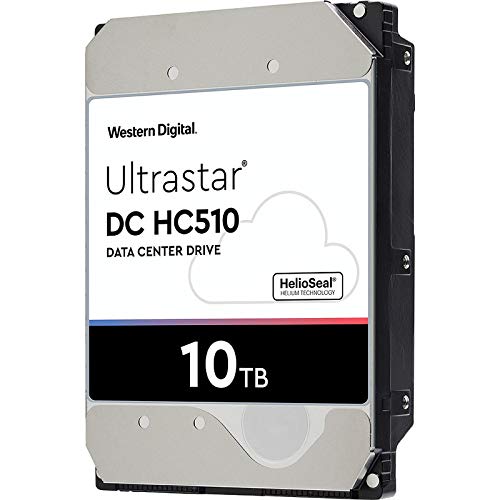




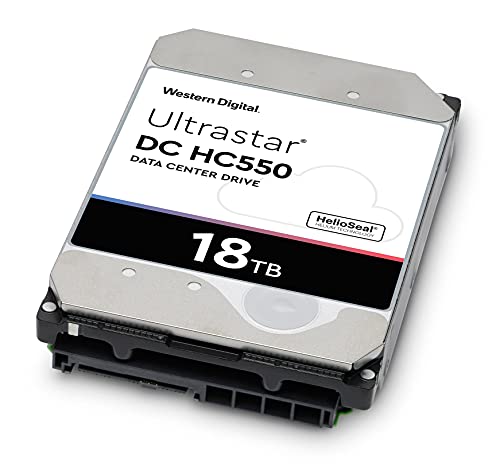


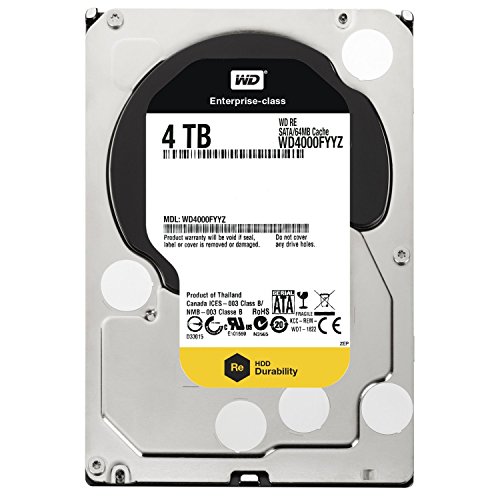


The listing’s condition and last check are shown on each row. Prices and availability may change at checkout.
Is it really a deal?
14 listings are at or near our recorded low. We compare the same Amazon listing and condition against earlier prices we recorded. Near our low means within 3% of that low. An Amazon reference price shows the retailer’s comparison figure. Check the retailer for any current promotion or access requirements.
1. Decide between SATA and SAS before anything else
SATA enterprise drives suit most small servers, home labs and direct-attach storage where you want broad compatibility and simpler cabling. They are often the practical choice for a NAS or a server with a standard SATA backplane. SAS drives are intended for SAS controllers and expanders, and they can be the right fit where you need dual-port connectivity, better path redundancy, or a fleet that already uses SAS infrastructure.
Do not assume a SAS drive will work in a SATA-only bay. In many systems the reverse is also true only in specific cases, so verify the controller, backplane and chassis documentation. If the listing says SAS, check whether your host supports SAS end to end. If it says SATA, make sure the drive is not expecting an enterprise SAS environment to unlock certain features.
A simple rule helps: choose SATA when you want the broadest compatibility and lower system complexity; choose SAS when the platform already supports it and you want to build around SAS features rather than adapt the hardware around a SATA-only drive. If you are using a desktop PC as a storage box, SATA is usually the more sensible route. If you are buying for a rack server or shared storage shelf, SAS may be the right long-term standard.
2. Check the sector format by part number, not by title wording
Enterprise listings often compress important format details into a short title. The key thing to confirm is the logical sector size and recording format, which may be shown as 512e, 4Kn or occasionally another notation on the label or spec sheet. A drive can look suitable on paper but still be awkward in an older controller, virtualisation host or operating system if the sector format is not supported.
Part numbers matter here because one family can contain multiple variants. Use the manufacturer’s datasheet to match the exact model code shown on the drive label or listing. Then confirm whether the system you plan to use supports that sector format for booting, RAID creation and recovery work. This is especially important if you are replacing an existing drive in an array, because mixed formats can complicate migration or force you into a slower rebuild path.
If you are unsure, check the controller documentation first. Some hardware is fine with 512e but not 4Kn, while newer platforms may prefer 4Kn for large-capacity enterprise disks. The listing alone is not enough. Verify the exact part number, then cross-check it against the manufacturer’s product page and the compatibility list for your chassis or RAID card.
3. Match the workload rating to how the drive will actually be used
Enterprise drives are sold for different duty cycles, and the workload rating tells you whether the drive is intended for lighter archive use or heavier always-on storage. This is not just marketing language. It influences how comfortable the drive is in a multi-user array, a backup target, or a write-heavy environment such as a surveillance archive or VM storage pool.
If your use is mostly read-heavy and occasional backup, a less aggressive enterprise model may be enough. If the drive will sit in a RAID array handling frequent writes, rebuilds and background scrubbing, favour a model with a workload specification that suits that pace. The listing may mention workloads in annualised terms, but always confirm the same figure on the manufacturer’s datasheet rather than relying on seller shorthand.
A practical example: a lab that stores ISO images and backups can often live with a more modest enterprise SATA model, while a server hosting virtual machines or databases should be matched to a drive family built for sustained 24/7 operation. If the seller does not show the exact part number, treat that as a warning sign and look for the full model code elsewhere before buying.
4. Compare warranty, support and lifecycle before you commit
For enterprise hardware, warranty matters because it often signals how the drive was positioned by the manufacturer and how support is handled. Check the stated warranty length, but also check whether the drive is new retail stock, OEM stock or a refurbished unit. Those categories can change what support you receive and whether manufacturer registration is available.
The best practice is to verify warranty terms from the manufacturer using the exact part number, then compare that with the seller’s description. If a listing is vague about origin, you may end up with a drive that works perfectly but is awkward to support later. This matters more in a storage array than in a one-off desktop upgrade, because replacing one failed drive in a set is easier when the model is clearly documented.
Also think about lifecycle. If you are standardising a fleet, it can be worth choosing a drive that is easy to source again by part number. That reduces mismatches when you later need a like-for-like replacement. For mixed storage builds, keep a note of the full label details, interface, sector format and firmware notes so you can compare future listings properly.
5. When a closely related alternative is the better buy
If you only need a single bay or a small external enclosure, a 2.5-inch SAS hard drive may be the more appropriate alternative, but only if your enclosure supports that form factor and interface. For most desktop-style or tower-based storage builds, though, the better comparison is usually within the same capacity family rather than across form factors.
The sibling pages for 10TB, 12TB, 14TB, 16TB, 18TB, 22TB and 24TB hard drives are useful if your decision is really about capacity rather than enterprise features. Choose those when you already know you want a specific size and simply want to compare price history across that capacity band. Choose this enterprise page when interface, format and workload are the deciding factors.
As a rough approach, start by filtering out any drive that does not match your controller. Then shortlist by sector format and workload. Only after that should you compare price and timing. This avoids buying a drive that seems attractive but does not fit your storage plan or your existing array.
Frequently asked questions
How do I check whether a drive is SATA or SAS?
Use the exact model number on the product page or drive label, then confirm it on the manufacturer’s datasheet. Do not rely only on the title text, because listings are sometimes shortened or inconsistent.
Why does sector format matter so much?
Because 512e and 4Kn drives can behave differently with older controllers, operating systems and RAID cards. A format mismatch can prevent installation or make an existing array harder to manage.
Is an enterprise drive always the best choice for a NAS?
Not always. Enterprise drives make sense when you need their interface, workload rating or support profile. For simpler NAS use, a compatible NAS-focused drive may be easier and sometimes less demanding to integrate.
When should I choose SAS over SATA?
Choose SAS when your hardware supports it and you want SAS features such as dual-port connectivity or a SAS-based storage stack. Choose SATA when compatibility, simplicity and broader device support matter more.