Black Friday 2026
SAS Hard Drive Black Friday Deals UK 2026
Prices checked
Amazon UK’s 2026 Black Friday sale runs from 19 to 30 November. Black Friday is 27 November. Prices below come from the latest available listing checks.
As an Amazon Associate we earn from qualifying purchases. Prices and availability come from Amazon.co.uk as of the last update and may change.
When you are comparing SAS hard drives, the first job is not picking the biggest capacity or the lowest headline price. It is checking that your server, backplane, RAID controller and drive carrier are all meant to work together. SAS is an enterprise interface, so a drive that looks right on the listing may still be unusable if the connector, sector format or tray type does not match your system. Use the manufacturer’s datasheet and the seller’s item details to confirm compatibility before you compare prices, especially on used or refurbished stock.
Matching Amazon UK listings


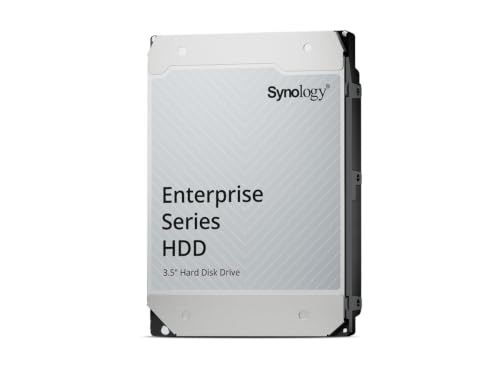

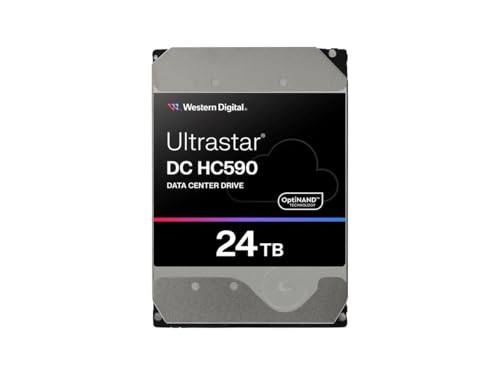


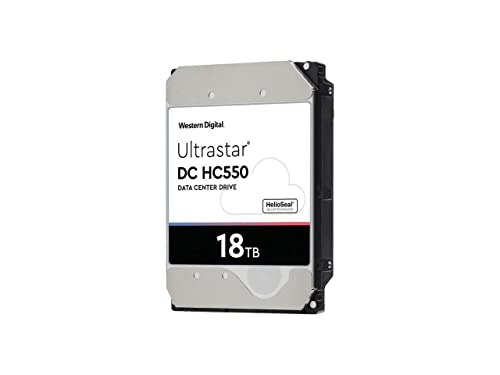


The listing’s condition and last check are shown on each row. Prices and availability may change at checkout.
Is it really a deal?
18 listings are at or near our recorded low. We compare the same Amazon listing and condition against earlier prices we recorded. Near our low means within 3% of that low. An Amazon reference price shows the retailer’s comparison figure. Check the retailer for any current promotion or access requirements.
1. Start with the controller and backplane
A SAS drive needs a SAS controller or a compatible SAS HBA, plus a backplane or caddy arrangement that accepts the drive connector. Some systems support SAS and SATA in the same bays, but that is not universal. Before buying, check your server or storage chassis manual for the supported drive types, bay size and whether the backplane is direct attach, expander based or designed only for SATA. A SAS drive will not be a safe purchase if your enclosure only accepts SATA through a different wiring layout.
If you are building a small business storage box, the practical question is often whether the controller can address the number of bays you have and whether it supports the drive generation shown on the listing. For example, an older controller may recognise a SAS drive but not expose the features you expect, or it may require a specific firmware level. Confirm the controller model, the number of ports, and any compatibility notes from the manufacturer before you compare listings. If your system is actually a desktop or basic home NAS without SAS support, a SATA alternative is usually the better choice.
2. Verify sector format and logical block size
Sector format matters because a drive can be physically compatible but still awkward to use if the block size does not match your operating system, RAID card or storage platform. The most important labels to look for are 512n, 512e and 4Kn. These describe how the drive reports sectors to the host. A controller or boot volume that expects one format may not handle another without changes to firmware or configuration.
Check the product listing, but do not rely on the title alone. Look for the exact sector type in the datasheet and in the seller notes. If your environment uses an older operating system, legacy RAID card or mixed-drive array, 512e is often easier to accommodate than 4Kn, though that depends on the platform. If you are replacing a single failed drive in an existing array, match the sector format already in use unless the controller vendor says otherwise. This is especially important when comparing enterprise SAS prices across brands, because two drives with the same capacity can be very different to integrate.
3. Make sure the drive carrier and physical fit are right
Enterprise SAS drives are often sold as bare drives, while some systems expect a specific carrier, tray or caddy. Do not assume a 3.5-inch SAS drive will simply slide into any bay. The connector position, screw points and front carrier shape can vary by manufacturer and chassis family. For hot-swap systems, the tray must line up properly with the backplane so the drive seats fully and the latch closes cleanly.
If your server uses branded carriers, check whether the listing includes the correct tray or whether you need to move the drive into your existing caddy. That can affect total cost, especially if you need several matching carriers. Some buyers also forget to check the bay height. A 2.5-inch SAS hard drive belongs in a 2.5-inch bay or an adapter designed for that format, while a 3.5-inch drive needs the wider slot and matching carrier. This is one of the main reasons to treat a 2.5-Inch SAS Hard Drive as a separate buying decision rather than a direct substitute for standard enterprise SAS models.
4. Compare capacity against the storage job, not just the listing size
Once compatibility is confirmed, capacity is the next practical filter. The right size depends on whether you are mirroring a pair of drives, rebuilding a RAID set or replacing an archive disk. If you are shopping by sibling pages such as 10TB Hard Drive, 12TB Hard Drive, 14TB Hard Drive, 16TB Hard Drive, 18TB Hard Drive, 22TB Hard Drive or 24TB Hard Drive, the useful question is how much space you actually need after RAID overhead, hot spares and file system formatting.
For example, two smaller SAS drives in a mirror may be simpler and cheaper to deploy than one larger drive if your controller and chassis are already configured for redundancy. On the other hand, if you are filling many bays, a larger capacity can reduce the number of drives, cables and carriers you need. The tradeoff is that you must still check the controller’s support for the chosen size and sector format. Bigger is not automatically better if your platform or array layout cannot use it cleanly.
5. Decide whether SAS is the right choice at all
SAS is most useful when you need enterprise features, robust multi-bay compatibility or a server platform built around SAS infrastructure. It can be the wrong choice if you just want straightforward bulk storage for a home PC, external backup box or a simple NAS that only supports SATA. In those cases, a SATA drive can be easier to source, simpler to fit and cheaper to expand. The point of the comparison is not to force SAS into every setup, but to make sure you only pay for it when your hardware can make proper use of it.
If you are between a SAS drive and a related alternative, use the system design as the tie-breaker. Choose SAS when the controller, backplane and carriers are already SAS-based, or when you are replacing an identical enterprise drive. Choose a different page, such as a capacity-specific hard drive or a 2.5-inch model, if the main constraint is size, bay format or overall storage budget rather than interface type. That approach helps you compare like with like instead of sorting through listings that seem similar but are not actually interchangeable.
Frequently asked questions
How do I know if my system supports SAS drives?
Check the server, NAS or storage chassis manual for the supported interface, bay type and controller model. If the documentation mentions SAS backplanes, SAS HBAs or SAS expanders, that is a good sign. If it only mentions SATA, treat SAS as unsupported until the manufacturer says otherwise.
What is the difference between 512e and 4Kn?
They are sector formats, also called logical block sizes. Some controllers and operating systems support both, while others prefer one format. Match the drive format to your existing array or verify support in the controller and OS documentation before buying.
Can I use a SAS drive in a SATA bay?
Usually not safely. SAS and SATA look similar in some enterprise trays, but the backplane, controller and connector layout still need to be compatible. A SATA-only bay or consumer enclosure is not automatically suitable for SAS.
Should I buy a SAS drive or a capacity-specific alternative page?
Choose SAS if your hardware is already built for SAS and you need that interface. Choose a capacity page such as 12TB or 18TB if size is your main buying filter and you are comparing storage budgets rather than interface compatibility.