Black Friday 2026
SATA Hard Drive Black Friday Deals UK 2026
Prices checked
Amazon UK’s 2026 Black Friday sale runs from 19 to 30 November. Black Friday is 27 November. Prices below come from the latest available listing checks.
As an Amazon Associate we earn from qualifying purchases. Prices and availability come from Amazon.co.uk as of the last update and may change.
SATA hard drives remain the most common choice for desktop storage and many entry to mid range NAS boxes because the interface is widely supported, affordable and simple to fit. The main buying question is not just capacity, but whether the drive is designed for a desktop PC, a NAS enclosure, or a mixed workload such as backups, media streaming and light file sharing. To choose well, check the SATA version, form factor, capacity, recording technology and any NAS specific features on the manufacturer page and in the retailer listing before you buy.
Matching Amazon UK listings


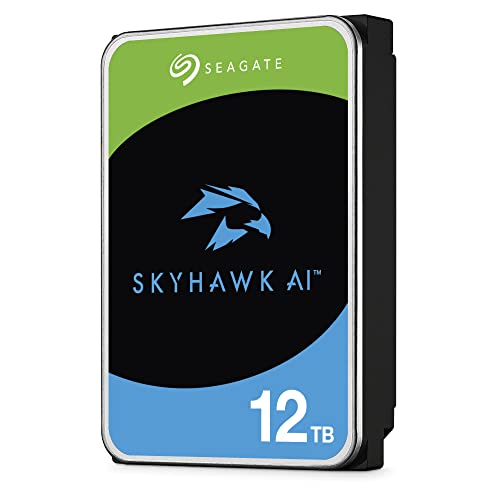


The listing’s condition and last check are shown on each row. Prices and availability may change at checkout.
Is it really a deal?
13 listings are at or near our recorded low. We compare the same Amazon listing and condition against earlier prices we recorded. Near our low means within 3% of that low. An Amazon reference price shows the retailer’s comparison figure. Check the retailer for any current promotion or access requirements.
Start with compatibility: SATA, size and bay support
A SATA drive only works if your device has the right physical and electrical support. Most desktop and NAS drives use a 3.5-inch form factor for larger capacities, while some laptops and compact enclosures need 2.5-inch drives or SSDs instead. Confirm the bay size in your case, NAS chassis or USB enclosure, then check that the drive is a standard SATA device rather than SAS or NVMe.
SATA is backward compatible across generations, so a SATA III drive will usually operate in older SATA ports, but it will run at the speed negotiated by the host controller. That matters less for hard drives than for SSDs, but it still helps to confirm the connector and cable support. If your NAS or motherboard has only one or two drive bays, a straightforward SATA desktop drive may be fine. If you have multiple bays and plan to mirror or RAID the disks, check the NAS compatibility list and any drive size limits in the device documentation.
For a simple example, a home office PC used for documents and photos can usually use a general purpose SATA drive. A four bay NAS used for shared backups and media is better matched with a drive that is specifically listed as suitable for NAS use, especially if the system will run for long periods. If the device only supports SATA, a 2.5-inch SAS hard drive is not a substitute, because SAS and SATA are different interfaces even when the connector looks similar in some enterprise hardware.
Compare recording technology, not just capacity
Hard drive recording methods affect how capacity scales and how the drive behaves as it fills up. The main terms you will see are CMR, also called conventional magnetic recording, and SMR, shingled magnetic recording. CMR is usually the safer choice for NAS, RAID and other write heavy workloads because it handles sustained writes and rebuilds more predictably. SMR can be acceptable for lighter desktop storage, archiving and occasional backups, but it may be a poorer fit for arrays that frequently rewrite data.
Because listings do not always highlight recording type clearly, verify it on the manufacturer specification sheet rather than relying on the product title alone. This is especially important if you are buying a drive for a NAS volume, where a slower write pattern can be more noticeable during backups, parity checks or when the array is rebuilding after a disk failure. If the listing names a drive family, check whether every capacity in that family uses the same recording method. Sometimes only the smaller or larger sizes differ.
A practical rule is to choose CMR if you expect regular file changes, multi user access or RAID. Choose SMR only if the drive will be used more like a large archive, for example storing completed video projects or a backup copy that is updated infrequently. That tradeoff can make a lower cost drive sensible, but only if the workload is truly light and the device supports it well.
Match the drive to the workload: desktop, backup or NAS
Desktop drives are often tuned for occasional use, quiet operation and low cost. They can be a good fit for a single PC, an external enclosure or a simple backup disk. NAS drives are usually positioned for longer duty cycles, multiple users and vibration tolerance in multi bay systems. The exact design details vary by model, so do not assume all SATA drives are interchangeable just because they share the same connector.
If you are building a NAS, decide whether it will mainly serve media, house work files, or run regular backup jobs. Media streaming is relatively gentle, but multi device file sharing and scheduled backups can create a lot of small writes. In that case, a NAS oriented SATA drive is usually the safer bet. If the box is only for occasional archive access, a standard desktop SATA drive may be enough and can cost less.
Also consider noise, power use and heat, especially in a small home NAS or a compact desktop case. Slower spinning drives can be quieter, but you should still check the drive’s published power and thermal data if your enclosure has limited airflow. Verify these figures in the manufacturer sheet and compare them with the NAS enclosure’s drive recommendations, since a drive that is technically compatible may still be a poor fit thermally.
Think in terms of total cost, not only drive price
The cheapest SATA drive is not always the lowest cost option once you factor in the rest of the system. A NAS often needs more than one drive, and the usable capacity depends on the RAID level or mirror you choose. Two 10TB drives in a mirror do not give you 20TB of usable space, because one disk holds the duplicate copy. If you are shopping for a single desktop drive, the capacity calculation is simpler, but you still need to leave space for backups and system files.
For a small NAS, it can be better to buy one larger, compatible SATA drive family and add matching disks later than to mix very different models. Mixing capacities works in some RAID setups, but the array often behaves like the smallest disk in the group. Mixing recording technologies can also be unhelpful if one drive is SMR and the others are CMR. When comparing alternatives such as 10TB, 12TB, 14TB, 16TB, 18TB, 22TB or 24TB models, use your planned usable capacity and number of bays as the guide rather than chasing the largest figure on the box.
If your enclosure uses only a single bay, a larger drive may be more convenient than juggling multiple smaller ones. If you have several bays and want redundancy, it may be better to spread the budget across matched disks and accept a lower raw capacity. That tradeoff is often more sensible for NAS buyers than simply buying the biggest available drive.
How to verify the right model before checkout
Check four details on the product page and, if needed, the manufacturer website: interface, form factor, recording technology and intended workload. The listing should state SATA clearly, but always confirm whether the drive is 3.5-inch or 2.5-inch, and whether the model is marketed for desktop, NAS or surveillance use. Then look up the full part number on the manufacturer’s data sheet, because similar names can hide important differences between capacities or revision codes.
It is also worth checking compatibility notes from your NAS maker or motherboard manufacturer. Some NAS systems are picky about specific drive families, and some will show warnings if the drive is not on their support list. A drive can still work outside a formal list, but the safest route for a new NAS build is to start with supported models and match the firmware and capacity guidance given by the enclosure maker.
If you are deciding between SATA and a closely related alternative, SATA is usually the right choice for mainstream desktop and NAS use. A 2.5-inch SAS hard drive only makes sense in enterprise hardware that explicitly supports SAS. For most home buyers, the practical comparison is usually between a standard SATA desktop drive and a NAS optimised SATA drive, with the final choice driven by workload, bay count and whether you need RAID friendly behaviour.
Frequently asked questions
Is SATA the same as SAS for hard drives?
No. SATA and SAS are different interfaces. A SATA drive is the normal choice for consumer desktops and many NAS units. A SAS drive is for compatible enterprise hardware and should only be bought if your controller or enclosure explicitly supports SAS.
Should I choose CMR or SMR for a NAS?
CMR is usually the better choice for NAS use, especially if you run RAID, mirror disks or write data often. SMR can work for lighter archive style storage, but it is generally less suitable for frequent updates and rebuilds.
Can I mix different SATA drive sizes in one NAS?
Sometimes yes, but usable capacity and array behaviour depend on the RAID setup. In many cases the array is constrained by the smallest drive, so matching sizes is usually simpler and more efficient.
What should I check on the listing before I buy?
Confirm the exact model number, SATA interface, 2.5-inch or 3.5-inch size, recording type and whether the drive is intended for desktop or NAS use. If in doubt, cross check the manufacturer specification sheet rather than relying on the product title alone.