Black Friday 2026
Seagate SkyHawk Black Friday Deals UK 2026
Prices checked
Amazon UK’s 2026 Black Friday sale runs from 19 to 30 November. Black Friday is 27 November. Prices below come from the latest available listing checks.
As an Amazon Associate we earn from qualifying purchases. Prices and availability come from Amazon.co.uk as of the last update and may change.
Seagate SkyHawk is a sensible option when you are shopping for a drive to sit inside a video recorder or a small surveillance storage system, rather than a general desktop PC. The key is to buy for the recorder workload itself and not to mix up the base SkyHawk range with AI-focused variants when you compare listings. Start by checking the exact model name, capacity, interface, and whether the drive is meant for a DVR, NVR or mixed-use NAS style enclosure. On a price-tracking site, the most useful comparison is the one that matches your recorder’s bay count, recording profile, and cabling, because a cheaper drive can be the wrong fit if it is the wrong type or size.
Matching Amazon UK listings

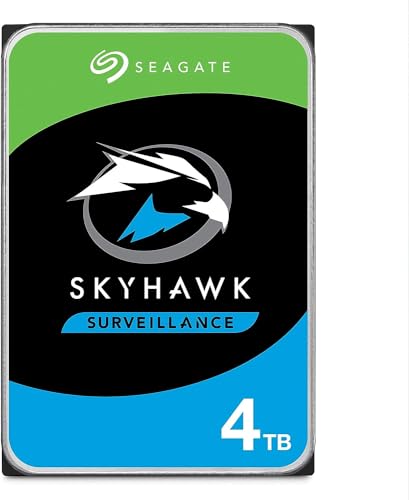


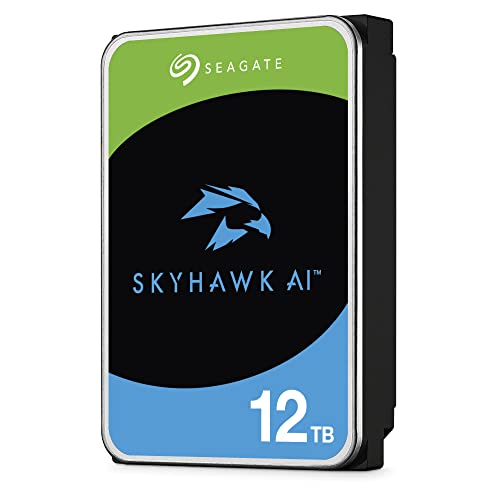


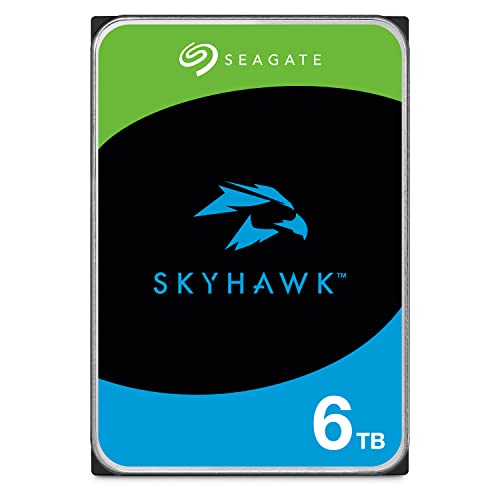


The listing’s condition and last check are shown on each row. Prices and availability may change at checkout.
Is it really a deal?
4 listings are at or near our recorded low. We compare the same Amazon listing and condition against earlier prices we recorded. Near our low means within 3% of that low. An Amazon reference price shows the retailer’s comparison figure. Check the retailer for any current promotion or access requirements.
1. Match the drive to the recorder, not just the headline capacity
SkyHawk drives are aimed at sustained write-heavy video recording, so the first question is how your system actually stores footage. A single-camera home recorder, a multi-bay NVR, and a NAS used for file storage do not place the same demands on a drive. If you are buying for camera footage, focus on the number of bays, the supported drive size per bay, and whether the recorder expects 3.5-inch SATA drives. If the recorder manual says the system is designed for surveillance workloads, a SkyHawk class drive is usually a closer match than a general-purpose desktop HDD. If you are mostly storing documents, backups or media files, a NAS-oriented drive from a range such as IronWolf Pro may be a better comparator, because those products are typically positioned around mixed NAS use rather than camera recording alone.
When comparing offers, check the product title and model code carefully. Base SkyHawk models and AI-labelled variants are not the same thing, and listings can look similar at a glance. The safest habit is to open the manufacturer’s spec page or the product label in the listing images and confirm the exact family before deciding that one offer is better than another.
2. Verify the recording workload details before you buy
For surveillance use, the important questions are about workload class, not just capacity. Look for the intended use in the manufacturer description, then confirm it against the recorder’s own compatibility list if one is provided. Some recorders are designed around continuous 24/7 recording, while others write intermittently or only when motion is detected. A drive sold for surveillance should suit the recorder’s pattern, but you still need to check whether the system is one-drive or multi-drive, because that affects both capacity planning and the type of drive you should favour. If you need a drive for a DVR that writes continuously from several channels, avoid assuming any large hard disk will be equally suitable. The listing should state the interface, usually SATA for consumer and small business recorders, and the form factor, usually 3.5-inch for this class of drive.
paragraphs2? no
3. Compare SkyHawk with nearby alternatives when the use case changes
The best alternative depends on whether your priority is recorder fit, NAS flexibility, or bulk storage value. Seagate Exos X18 is a better comparison if you are moving into higher-density storage or enterprise-style hardware, but only if your chassis, power supply and noise tolerance suit that class of drive. Seagate IronWolf Pro is often the nearer NAS alternative when the same box might later store backups, media, and shared files as well as video archives. That makes it useful if the recorder is also doubling as a file server, though you should still confirm compatibility with the enclosure or NAS firmware. If the listing is simply grouped by capacity, such as 10TB, 12TB, 14TB, 16TB or 18TB Hard Drive pages, use those pages to narrow the size first, then filter again by model family, because surveillance and NAS models can sit in the same capacity bucket but serve different jobs. A 2.5-inch SAS Hard Drive is a different category altogether and is only relevant if you are dealing with enterprise SAS backplanes, not a normal home recorder or consumer NAS.
Think in terms of tradeoffs. SkyHawk is the straightforward option for a recorder that mainly writes video. IronWolf Pro makes more sense if the drive may also handle shared folders, backups or virtual-machine style use. Exos can be worth considering if you need enterprise-class storage and your hardware supports it, but it is rarely the first choice for a simple home recorder.
4. Check the practical details that affect fitting and cost
Before ordering, verify the basics from both the manufacturer page and the listing. Confirm the interface, which is usually SATA on this type of drive, the physical size, the intended workload category, and whether the package is the bare drive or includes accessories. Also check the recorder’s bay count and any stated maximum per bay, because a larger-capacity drive only helps if the machine can address it. If the device uses hot-swap trays or a caddy, make sure the drive’s mounting holes and height match the tray. If you are buying for a compact enclosure, confirm the available power and cooling, because a surveillance drive is still a mechanical hard disk and needs sensible airflow.
paragraphs2? no
5. Decide when SkyHawk is the right buy, and when it is not
Choose SkyHawk when the main job is dependable video recording and the recorder manufacturer supports standard 3.5-inch SATA surveillance drives. It is the cleaner choice if you want to keep the storage role simple and avoid paying for features aimed at general NAS sharing or enterprise infrastructure that you do not need. Consider another family if your storage needs are broader than footage retention. For example, a small office NAS used for shared folders, Time Machine backups, and camera archives may be better served by a NAS-focused drive line, while a rack server or enterprise chassis may justify looking at Exos. The same logic applies when comparing capacities. Bigger is not automatically better if the recorder cannot use the extra space, and a lower-capacity drive may be the smarter purchase if it matches your retention target and keeps the system within budget.
paragraphs2? no
Frequently asked questions
How do I tell base SkyHawk from SkyHawk AI in a listing?
Check the exact product name, model code, and any images of the label or box. Do not rely on the capacity alone, because both families can appear in similar size brackets.
Is SkyHawk suitable for a NAS as well as a recorder?
It can be used in some NAS setups, but it is primarily positioned for surveillance recording. If the NAS is mainly for file sharing and backups, a NAS-oriented drive may be the closer fit.
Should I buy by capacity first or by model family first?
For this category, start with model family and interface, then capacity. A correctly sized drive that does not fit the workload or hardware is a poorer choice than the right family in a slightly different size.
What should I verify on the manufacturer page before ordering?
Confirm the drive family, form factor, interface, intended workload, and any compatibility notes for recorder or NAS use. Then compare that with the listing title and product images so the offer matches the exact model.