Black Friday 2026
WD Black SN7100 Black Friday Deals UK 2026
Prices checked
Amazon UK’s 2026 Black Friday sale runs from 19 to 30 November. Black Friday is 27 November. Prices below come from the latest available listing checks.
As an Amazon Associate we earn from qualifying purchases. Prices and availability come from Amazon.co.uk as of the last update and may change.
If you are buying a WD Black SN7100 for a compact host, the main question is not just whether it is the right SSD family, but whether the exact part number, capacity and physical format suit your machine. Small desktops, laptops and other space-limited systems can be picky about M.2 length, heatsink clearance, power draw and whether the slot supports the drive’s interface. The safest approach is to match the SN7100 listing to the manufacturer spec sheet and your host’s storage manual, then compare it with alternatives only where they solve a real constraint, such as more endurance headroom, a different controller class, or a lower-cost capacity.
Matching Amazon UK listings
| Product | Details | Price | Recorded low | Price verdict | |
|---|---|---|---|---|---|
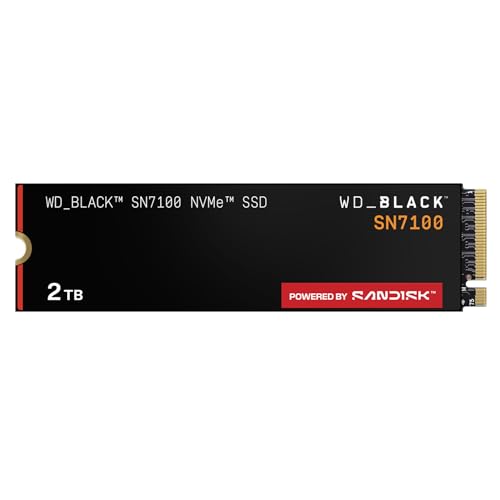 WD_BLACK SN7100 2TB NVMe SSD, M.2 2280, Read speeds up to 7250 MB/s, Write Speed up to 6,900 MB/s, Next Gen TLC 3D NAND, WD_BLACK DASHBOARD, Up to 1,200TBW, For Laptops, handheld gaming devicesNew · checked | 2 TB · NVMe | £308.00£154.00/TB | £224.52 | Above our low | Buy on Amazon |
| WD_BLACK SN7100 2TB NVMe SSD, M.2 2280, Read speeds up to 7250 MB/s, Write Speed up to 6,900 MB/s, Next Gen TLC 3D NAND, WD_BLACK DASHBOARD, Up to 1,200TBW, For Laptops, handheld gaming devicesUsed · checked | 2 TB · NVMe | £235.32£117.66/TB | £216.75 | Above our low | Buy on Amazon |
 WD_BLACK SN7100 1TB NVMe SSD, M.2 2280, Read speeds up to 7250 MB/s, Write Speed up to 6,900 MB/s, Next Gen TLC 3D NAND, WD_BLACK DASHBOARD, For Laptops, handheld gaming devicesUsed · checked | 1 TB · NVMe | £151.98£151.98/TB | £110.47 | Not rechecked yet | Buy on Amazon |
The listing’s condition and last check are shown on each row. Prices and availability may change at checkout.
Is it really a deal?
No recently checked listing has reached our recorded low. We compare the same Amazon listing and condition against earlier prices we recorded. Near our low means within 3% of that low. An Amazon reference price shows the retailer’s comparison figure. Check the retailer for any current promotion or access requirements.
Start with the exact SN7100 part, not just the series name
For SSDs, the series name alone is not enough. The same family can cover several capacities, and those can differ in component layout, quoted endurance, and sometimes physical details. On the product page, check the full model or part code, the stated capacity, and whether the listing describes the drive as bare module only or includes a heatsink. For a compact host, that last point matters because a heatsinked version may not fit under a laptop lid or in a low-profile enclosure.
Also confirm the interface and form factor from both the manufacturer and the listing. The key phrases to look for are the M.2 length, usually 2280 for many consumer NVMe drives, and the PCIe generation and NVMe version your host supports. If your system is older or uses a narrower slot configuration, the drive may still work in principle but not at its intended link speed, or it may not fit at all. Avoid assuming that any M.2 SSD is interchangeable just because the connector looks similar.
Check whether the compact host is limited by space, heat or slot support
A compact host often fails a buying decision for practical reasons rather than raw specification. First, check physical clearance. Some small systems only accept single-sided M.2 modules, or they leave very little room above the SSD for thermal pads or heatsinks. If the product listing does not explicitly state the drive profile, verify it from the manufacturer documentation before buying.
Second, think about cooling. In a tight case, even a well-matched NVMe drive can be forced into a hotter environment than in a tower PC. That does not mean you need the most expensive model, but it does mean you should avoid assuming a performance-oriented drive will behave the same way in a cramped enclosure. If the host has a motherboard cover or dedicated SSD shield, make sure the combined thickness still leaves a proper fit.
Third, check the slot itself. Some compact systems provide only one usable M.2 slot, some share lanes with other devices, and some have a maximum supported capacity listed in the manual. If you are moving data from an old drive, plan around that limitation before choosing a larger module.
How the SN7100 compares with the most relevant alternatives
WD Black SN8100 is the more obvious step up if your host and budget are aimed at higher-end NVMe use and you have room for the thermal demands that can come with a faster class of drive. It makes sense when the system is built around top-end storage and you know the slot and cooling can support it. In a compact host, though, the better choice can still be the SN7100 if you want a simpler fit and less risk of overbuying capability you cannot use.
WD Black SN850X is the more familiar mainstream performance option. It is worth considering if you want a widely used consumer NVMe drive and your host supports the relevant interface, but it still needs the same physical checks. It may be a better sibling page to compare against when you care about established compatibility and broad availability rather than chasing the newest model family.
WD Red SN700 is the alternative to think about when your priority is storage behaviour rather than desktop-style burst performance. It is usually the more relevant comparison for NAS-oriented use, not for a compact host that is acting as a local boot or game drive. If your machine is actually a small server or always-on box, then the Red family may be the better fit for the workload, but only if the form factor and interface align with the host’s bay or slot requirements.
Corsair MP700 Pro is another high-end comparison point, but it is only useful if your host supports the interface class and if you specifically want a competing premium NVMe option. For a compact system, the right answer may simply be to choose the drive that fits cleanly and runs within the enclosure’s thermal limits rather than the fastest headline model.
Choose capacity around your real workload, not the biggest number you can justify
Capacity is one of the most important tradeoffs on this page because it changes both price and how comfortably the drive handles day-to-day use. A 1TB SSD can be enough for a compact host used for office work, a lightweight games library or a boot drive with cloud storage behind it. It is easier to budget for and leaves less wasted space if the machine is only a secondary system.
A 2TB SSD is often the practical sweet spot for a small PC or compact workstation, especially if you install games, creative apps or local project files. It gives more breathing room without forcing you into the largest capacities intended for heavier storage needs.
3.84TB and 7.68TB SSD options are only sensible if your workload genuinely needs that much local storage and your system supports the physical and economic cost of fitting it. In a compact host, large capacities can make sense for media libraries, large datasets or a single-drive setup, but they are usually excessive for general use. Always check the host’s capacity support and whether the drive’s power and thermal profile still suit the chassis.
Make the final check against the host manual and the listing details
Before you buy, compare three sources: the host manual, the manufacturer specification page and the retailer listing. You are looking for the same basic facts each time: M.2 length, interface generation, NVMe support, physical profile, and whether any heatsink or accessory is included. If those details do not line up, pick a different capacity or a different drive family rather than hoping it will fit.
If the SN7100 matches the slot and your storage needs, it is the most direct choice. If the host is unusually cramped, a lower-profile alternative or a different capacity may be the better purchase. If you are comparing with the SN8100, SN850X, SN700 or Corsair MP700 Pro, the deciding factor should be compatibility first and only then the broader feature set.
Frequently asked questions
Is the WD Black SN7100 a good choice for a compact host?
It can be, provided the exact part, M.2 length and interface support match the host. Compact systems are more likely to have clearance and thermal limits, so check those first.
Should I pick 1TB or 2TB for a small PC?
Choose 1TB if the drive is mainly for the operating system and a modest app library. Choose 2TB if you want more room for games, media or project files without filling the drive quickly.
When would SN850X, SN8100 or SN700 be a better choice?
SN8100 or SN850X makes sense if you want to compare higher-end consumer NVMe options and your host supports them. SN700 is more relevant if the machine is being used in a NAS-style role rather than as a compact desktop or boot system.
What should I verify before buying any SSD for a compact system?
Check the exact model code, capacity, M.2 size, PCIe generation, NVMe support, and whether a heatsink or single-sided module is required. Then confirm the host manual supports that combination.