Black Friday 2026
WD Black SN850X Black Friday Deals UK 2026
Prices checked
Amazon UK’s 2026 Black Friday sale runs from 19 to 30 November. Black Friday is 27 November. Prices below come from the latest available listing checks.
As an Amazon Associate we earn from qualifying purchases. Prices and availability come from Amazon.co.uk as of the last update and may change.
The WD Black SN850X makes most sense when you already know the slot you are buying for and the capacity you actually need. The main choice here is not just size, but whether to buy the bare M.2 drive or the heatsink version. If the drive will sit in a thin laptop, many desktop motherboards, or another device with its own cooling, the bare model is often the cleaner fit. If the slot is cramped, poorly ventilated, or intended for a console or enclosed enclosure, the heatsink variant is usually the safer option. Before buying, check the manufacturer’s spec sheet and your device manual for interface, physical clearance, and any heatsink restrictions.
Matching Amazon UK listings
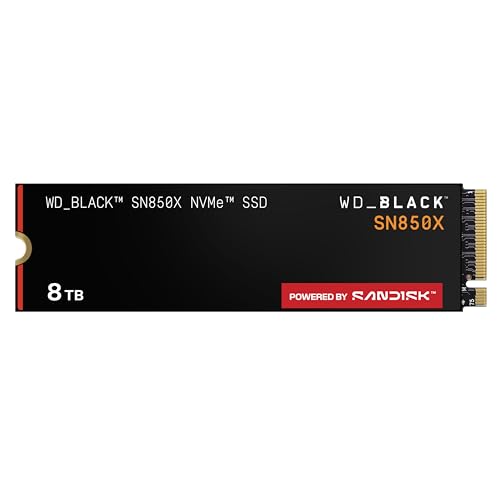


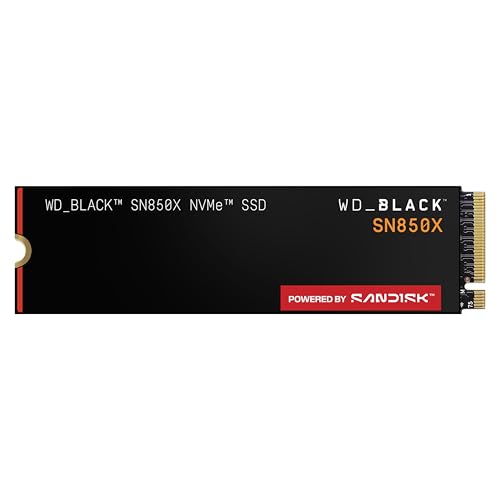
The listing’s condition and last check are shown on each row. Prices and availability may change at checkout.
Is it really a deal?
No recently checked listing has reached our recorded low. We compare the same Amazon listing and condition against earlier prices we recorded. Near our low means within 3% of that low. An Amazon reference price shows the retailer’s comparison figure. Check the retailer for any current promotion or access requirements.
Start with the slot, not the headline speed
The first job is to match the drive to the slot you have. The SN850X family is an internal M.2 SSD, so it only suits systems with an M.2 connector that accepts the right form factor and interface. Your motherboard, laptop, console or enclosure manual should tell you the supported length, whether the slot is NVMe-based, and whether it shares lanes or disables other ports when populated. If the slot is already under a shroud or close to a graphics card, cooling and thickness matter as much as raw capacity.
For desktops, check whether the board has a built-in M.2 heatsink. If it does, a bare drive can be enough and may fit more neatly. For laptops, bare drives are usually preferred because many machines have tight clearances and their own thermal pads or shields. For game consoles or sealed enclosures, a heatsink model can be the better starting point, but only if the device’s own instructions allow that extra height. The practical test is simple: confirm both the supported M.2 length and the maximum component height before you order.
Heatsink or bare: pick the version that suits the enclosure
Choose the bare SN850X when the drive sits under a motherboard heatsink, inside a laptop bay, or in an external case that already manages heat. This is the tidier option if the surrounding hardware leaves little vertical room. It also gives you more flexibility if the device maker has strict clearance limits.
Choose the heatsink version when the drive will be exposed in an open slot with limited airflow, or when the manufacturer explicitly asks for an SSD with its own cooling solution. The main tradeoff is physical size. A heatsink can prevent installation in tight spaces, even when the electronics are otherwise compatible. So do not assume the heatsink is an upgrade in every system. It is an enclosure decision, not just a performance decision.
A good example is a desktop with one M.2 slot tucked under a large graphics card. If the board’s own cover is designed to handle the drive, bare is normally the neater choice. By contrast, a small form factor PC with a slot near hot components may justify the heatsink model if space allows. Always compare the product images and dimensions against your case layout rather than relying on the model name alone.
Capacity: buy for the workload you actually have
Capacity choice should follow how you use the drive. Smaller capacities can suit a boot drive, apps, or a library of frequently used files. Larger capacities make more sense when you are storing modern games, video projects, machine images, photo archives, or a growing workstation scratch area. The SN850X range is offered in multiple sizes, so the key is to avoid buying more space than you need, or too little and then filling it quickly.
If you are upgrading a laptop, the sweet spot is often the smallest capacity that comfortably covers your operating system, apps and current files, because many laptops only have one usable M.2 slot. In a desktop with several storage bays, a mid-sized SSD can work alongside a larger SATA SSD or HDD for bulk data. If the drive will hold only a few large games or one active project, a smaller capacity may be enough. If it is replacing multiple older drives, or will be your only fast storage, choosing a larger size can reduce management overhead.
Check the seller listing and manufacturer page for the exact capacity shown, because bundled accessories and heatsink versions can vary by size. Also confirm whether the drive will be your main system disk or just extra storage. That determines whether you should prioritise capacity, installation clearance, or thermal headroom.
When a related alternative is the better fit
If you are comparing the SN850X with WD Black SN7100 or SN8100, look at your intended use case and the interface your system supports. A newer or different tier model may suit a fresh build better if its specifications line up more closely with your motherboard or laptop requirements. Always verify the connector, generation support, and physical format rather than choosing by family name alone.
WD Red SN700 is the more relevant alternative when the drive is going into storage-focused hardware such as a NAS or always-on box that values sustained access and compatibility with multi-drive enclosures. That is a different buying decision from a high-end consumer M.2 SSD for a gaming PC or workstation. If your system is not a NAS, Red may not be the first place to look.
Corsair MP700 Pro may be worth comparing if your platform is aimed at newer PCIe generations and you are building around that standard. In that case, the broader question is whether your motherboard and cooling setup are designed for that class of drive. For many buyers, the better decision is not to chase the newest label, but to buy the drive that fits the slot, the thermal space, and the capacity target without compromise.
How to verify the details before you buy
Use the manufacturer specification page for the exact model code, not just the family name. Check interface generation, M.2 length, thickness, and whether the listing is for a bare drive or heatsink edition. Then check your device’s manual for the maximum supported SSD dimensions and any notes about double-sided drives or integrated heatsinks.
If the drive is going into a motherboard, confirm whether the slot runs at the expected speed in your chosen configuration and whether installing the SSD affects another slot or port. If it is going into a laptop, make sure the bay accepts the drive length and that any included shield or pad can still close properly. For an enclosure, confirm both the interface on the host side and the M.2 type on the drive side. That avoids ending up with the right brand but the wrong physical fit.
Frequently asked questions
Should I buy the heatsink or bare SN850X?
Buy the bare version if your device already has M.2 cooling or very limited clearance. Buy the heatsink version only if your enclosure has room for it and the manufacturer allows that extra height.
Is this drive suitable for a NAS?
Usually not as the first choice unless the NAS or enclosure specifically supports this type of consumer M.2 SSD and you are comfortable with the device’s cooling and endurance requirements. A NAS-focused drive such as WD Red SN700 is often the more relevant comparison.
How do I choose the right capacity?
Match it to the job. Use smaller capacities for a boot drive or a light library, and larger capacities for games, active media work, or replacing several older drives. Check how much space your current files already use and leave room for growth.
What is the safest way to confirm compatibility?
Read the manufacturer’s specification sheet for the exact model and compare it with your motherboard, laptop, console or enclosure manual. Focus on M.2 length, interface type, and heatsink clearance before ordering.