Black Friday 2026
WD Red Pro Black Friday Deals UK 2026
Prices checked
Amazon UK’s 2026 Black Friday sale runs from 19 to 30 November. Black Friday is 27 November. Prices below come from the latest available listing checks.
As an Amazon Associate we earn from qualifying purchases. Prices and availability come from Amazon.co.uk as of the last update and may change.
WD Red Pro is best judged as part of a full NAS build, not as a single drive purchase. The right choice depends on how many bays you plan to fill, what your workload looks like, and whether the exact model code and warranty terms match your NAS vendor’s compatibility guidance. For a home media box or light file share, a lower-tier NAS drive may be enough. For a multi-user NAS, heavier write activity or a larger array, Red Pro can make sense if the total cost of buying several drives still fits your budget. Before ordering, check the manufacturer product page, the seller listing and your NAS compatibility list for capacity, interface, rotational speed, cache, sector format and warranty details.
Matching Amazon UK listings


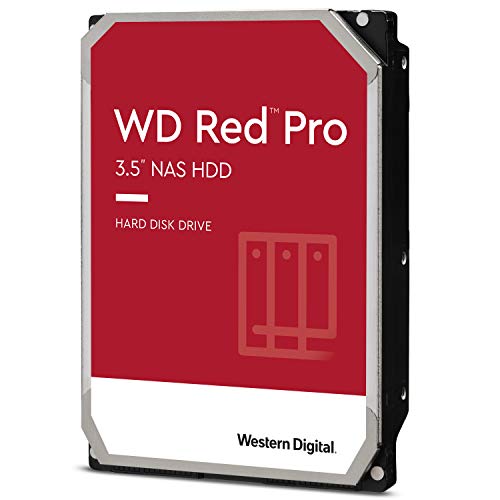


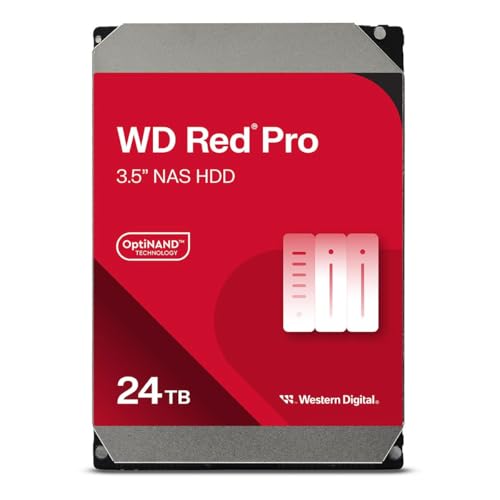


The listing’s condition and last check are shown on each row. Prices and availability may change at checkout.
Is it really a deal?
10 listings are at or near our recorded low. We compare the same Amazon listing and condition against earlier prices we recorded. Near our low means within 3% of that low. An Amazon reference price shows the retailer’s comparison figure. Check the retailer for any current promotion or access requirements.
Start with the whole-array cost, not the single-drive price
A NAS decision is usually about the full set of drives, because most people buy them in pairs or quads. A drive that looks only slightly more expensive can change the total cost a lot once you multiply it by four, six or eight bays. That matters more if you intend to replace older drives all at once or if you want enough headroom to mirror or parity-protect all your data.
Compare the total build cost against the alternative path you would actually use. For example, if your NAS will run two bays in RAID 1, you can often justify a stronger drive family if the price difference is modest. If you are filling four bays for RAID 5 or SHR, the same premium can become much harder to justify. In that case, a cheaper WD Red Plus, or even a non-NAS desktop drive only where the manufacturer supports it and the workload is light, may be the more sensible buy.
Match the drive to the workload, not the label alone
WD Red Pro is aimed at NAS use, but that does not automatically make it the best fit for every NAS. The key question is how hard the array will work. A small household archive with occasional backups has different needs from a business NAS with many users, frequent writes and a long uptime window. If your system mostly stores photos, videos and documents, and you rarely write large amounts of data, a less demanding drive class may already be sufficient.
If your NAS handles virtual machines, shared project files, surveillance recordings or frequent synchronised backups, the case for Red Pro becomes stronger. In those situations, the practical value is usually in choosing a drive family designed for continuous operation in multi-bay environments and then confirming the NAS vendor supports that exact model. By contrast, WD Purple is more appropriate when the main job is CCTV and sequential recording rather than general-purpose NAS storage. WD Ultrastar HC550 is a closer alternative when you need enterprise-focused storage and your chassis, power budget and compatibility list support it. It is not a default substitute for every home NAS, because the real question is whether the extra class of drive matches your system design and budget.
Verify the exact part number and the warranty terms before you buy
Product names can hide important differences. A listing that says WD Red Pro is not enough on its own. Check the exact part number on the seller page and compare it with the manufacturer’s product page, because capacities and revisions can differ in ways that matter to NAS compatibility. Also confirm the interface, the form factor, and any details the seller lists about recording technology, sector format or included accessories. If your NAS expects a specific sector type or has a vendor compatibility table, use that table first.
Warranty terms need the same care. Do not assume that every listing offers the same coverage period, regional support or proof-of-purchase rules. Read the manufacturer warranty wording and the retailer’s return policy separately. This is especially important if you are comparing imports or marketplace listings, where the seller location can affect what happens if there is a fault. For a drive that may be part of an array storing important data, clarity on the exact model and support route is worth more than a small saving.
Check NAS compatibility, bay count and RAID plan together
A drive can be technically suitable and still be a poor fit for the system around it. Start with your NAS model’s compatibility list, then check the intended RAID level and the number of bays you will populate. A two-bay NAS usually has a simpler cost decision than a four-bay or eight-bay unit, because the redundancy plan is less flexible and the capacity tradeoff is more obvious.
If you are building around RAID 1, the usable capacity is half of the raw drive total. In RAID 5 or SHR with three or more bays, usable capacity improves but rebuild time and array planning become more important. That means you should think about not just the drive you want today, but the cost of buying matching replacements later. Where the array will be expanded in stages, a common approach is to buy the same family and capacity class each time, rather than mixing random models. If you do not need NAS-specific features at all and simply want direct-attached storage for a single machine, a DAS enclosure and a standard external drive can be better value than paying for NAS-oriented hardware you will never use.
Use the listing to confirm the practical details that affect fit
Once you have narrowed the choice, use the Amazon UK listing to confirm the small but important details. Look for the exact model code, capacity, seller condition, packaging state and any notes about OEM or retail supply. If the listing omits a detail that matters to your NAS, assume you still need to verify it with the manufacturer page rather than filling the gap with guesswork.
This step is useful when deciding between Red Pro and the related alternatives on this site. WD Red Plus is often the more cost-conscious NAS choice when your workload is lighter. WD Purple is better only if the main job is surveillance recording. Ultrastar HC550 is worth considering if you are building a larger or more enterprise-like array and you are happy to check the extra compatibility and power considerations. For shoppers comparing 10TB, 12TB, 14TB, 16TB or 18TB pages, the useful question is not just size, but whether the higher-capacity option reduces the number of bays you need now and the number of replacements you will need later.
Frequently asked questions
How do I know if WD Red Pro is the right NAS drive for me?
It is a good fit when you want NAS-oriented storage, expect steady multi-user access or heavier write activity, and are comfortable paying for a drive that should be judged across the whole array rather than as a single item. Check your NAS compatibility list and compare the total cost of all bays, not just one drive.
Should I choose WD Red Pro instead of WD Red Plus?
Choose Red Pro when your workload is more demanding and the rest of your NAS setup justifies the extra spend. Choose Red Plus when you want a more cost-conscious NAS option and your use is lighter. The better choice depends on the array size, not just on the product name.
What should I check on the listing before buying?
Confirm the exact part number, capacity, interface, form factor and any sector-format details shown by the seller. Then compare those details with the manufacturer page and your NAS vendor’s compatibility list. Also check the warranty wording and seller return terms separately.
When is a closely related alternative better?
WD Purple is a better fit for CCTV-heavy recording. WD Ultrastar HC550 is more appropriate if you are aiming at a larger, more enterprise-style array. If you are not using a NAS at all, DAS or a standard external storage option may be better value.